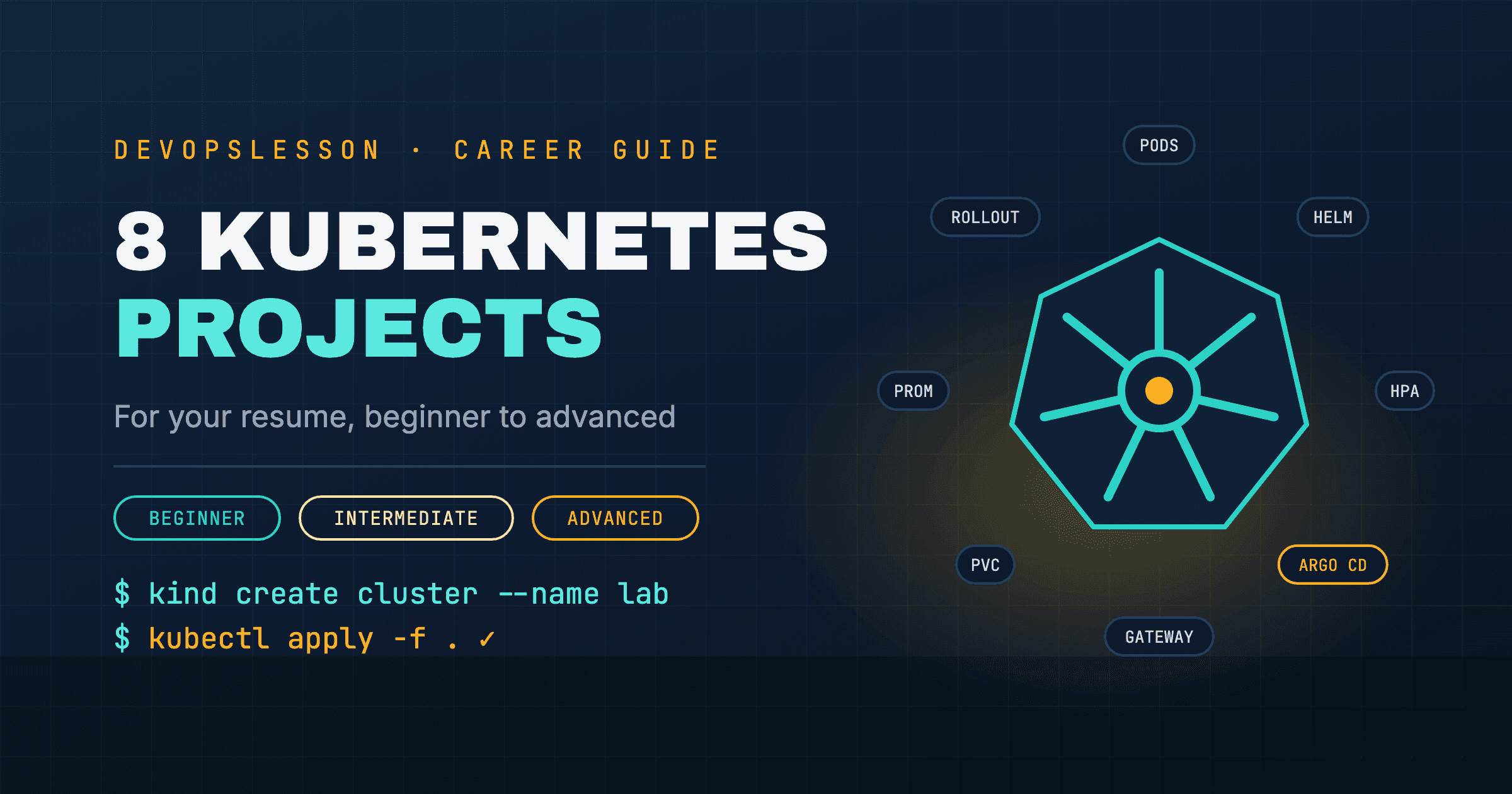
Most Kubernetes resume projects say the same thing: "Deployed an app to Kubernetes." That shows you can run kubectl apply. What hiring managers want to know is whether you understand what keeps an app healthy in a cluster: probes, limits, rollouts, storage, packaging and delivery.
These eight projects build those skills in order. Every one runs on kind, a free local cluster that runs inside Docker, so you need no cloud bill until the optional last step.
If Docker is still new, build a few of the Docker projects for beginners first. Kubernetes runs containers; it will not teach you how to build them.
| # | Project | Shows you understand | Level |
|---|---|---|---|
| 1 | A production-ready Deployment | probes, requests and limits, Services | Beginner |
| 2 | Config, rollouts and rollbacks | ConfigMaps, Secrets, zero-downtime updates | Beginner |
| 3 | Routing with the Gateway API | north-south traffic, hostnames | Beginner |
| 4 | Postgres as a StatefulSet | persistent storage, stable identity | Intermediate |
| 5 | Package your app as a Helm chart | templating, per-environment values | Intermediate |
| 6 | Autoscaling under load | metrics-server, HPA | Intermediate |
| 7 | GitOps with Argo CD | declarative delivery, drift | Advanced |
| 8 | Monitoring the cluster | Prometheus, Grafana, alerts | Advanced |
Set up your cluster
kind create cluster --name lab
kubectl cluster-info --context kind-lab
That is a working cluster. Installing Kubernetes with kind covers multi-node clusters, and the Kubernetes playground lets you practise kubectl in the browser first.
To use an image you built locally without pushing it to a registry, load it into the cluster:
kind load docker-image hello-api:1.0 --name lab
Project 1: A production-ready Deployment
What it shows: you know the difference between "it runs" and "it runs safely."
apiVersion: apps/v1
kind: Deployment
metadata:
  name: hello
spec:
  replicas: 3
  selector:
    matchLabels:
      app: hello
  template:
    metadata:
      labels:
        app: hello
    spec:
      containers:
        - name: hello
          image: hello-api:1.0
          ports:
            - containerPort: 8000
          resources:
            requests:
              cpu: 100m
              memory: 128Mi
            limits:
              memory: 256Mi
          readinessProbe:
            httpGet:
              path: /
              port: 8000
            periodSeconds: 5
          livenessProbe:
            httpGet:
              path: /
              port: 8000
            initialDelaySeconds: 10
            periodSeconds: 10
---
apiVersion: v1
kind: Service
metadata:
  name: hello
spec:
  selector:
    app: hello
  ports:
    - port: 80
      targetPort: 8000
kubectl apply -f hello.yaml
kubectl get pods -l app=hello -w
kubectl port-forward svc/hello 8080:80
Then break it on purpose and write down what happened:
- Delete a Pod and watch the Deployment replace it.
- Point the readiness probe at a path that returns 404, and see the Pod run but drop out of the Service.
kubectl get endpoints helloshows it. - Set the memory limit to
16Miand watch it get OOMKilled.
Those three experiments are better interview material than the YAML itself. Reference: probes and requests and limits.
Project 2: Config, rollouts and rollbacks
What it shows: you can ship a change without downtime, and undo a bad one.
Move configuration out of the image:
kubectl create configmap hello-config --from-literal=APP_ENV=staging
kubectl create secret generic hello-db --from-literal=DATABASE_PASSWORD=change-me
Reference both in the Deployment's container spec:
          envFrom:
            - configMapRef:
                name: hello-config
            - secretRef:
                name: hello-db
Now roll out a new version and roll it back:
kubectl set image deployment/hello hello=hello-api:1.1
kubectl rollout status deployment/hello
kubectl rollout history deployment/hello
kubectl rollout undo deployment/hello
Run a curl loop against the Service during the rollout. With readiness probes from project 1 in place, it never fails. Remove the probe and run it again to see why they matter. In your README, note that Kubernetes Secrets are only base64-encoded, and say how you would handle real secrets. ConfigMaps vs Secrets covers this.
Project 3: Routing with the Gateway API
What it shows: you know how traffic gets from outside the cluster to a Service, using the current standard.
For years this meant an Ingress with the ingress-nginx controller. That controller was retired in March 2026 and no longer receives fixes, and the Kubernetes project recommends the Gateway API for new work. Install a Gateway API implementation such as Envoy Gateway or Traefik, following its kind quickstart, then route to your Service:
apiVersion: gateway.networking.k8s.io/v1
kind: HTTPRoute
metadata:
  name: hello
spec:
  parentRefs:
    - name: my-gateway
  hostnames:
    - hello.localtest.me
  rules:
    - matches:
        - path:
            type: PathPrefix
            value: /
      backendRefs:
        - name: hello
          port: 80
Add a second app and a second route to it, then split traffic 90/10 between two versions using weight on the backendRefs. That is a canary release in a few lines of YAML, and it is easy to explain in an interview. Kubernetes Ingress explains how Ingress and the Gateway API compare.
Project 4: Postgres as a StatefulSet
What it shows: you understand why databases are different, and how storage works in a cluster.
apiVersion: apps/v1
kind: StatefulSet
metadata:
  name: postgres
spec:
  serviceName: postgres
  replicas: 1
  selector:
    matchLabels:
      app: postgres
  template:
    metadata:
      labels:
        app: postgres
    spec:
      containers:
        - name: postgres
          image: postgres:16-alpine
          env:
            - name: POSTGRES_PASSWORD
              valueFrom:
                secretKeyRef:
                  name: hello-db
                  key: DATABASE_PASSWORD
            - name: PGDATA
              value: /var/lib/postgresql/data/pgdata
          ports:
            - containerPort: 5432
          volumeMounts:
            - name: data
              mountPath: /var/lib/postgresql/data
  volumeClaimTemplates:
    - metadata:
        name: data
      spec:
        accessModes: ["ReadWriteOnce"]
        resources:
          requests:
            storage: 1Gi
---
apiVersion: v1
kind: Service
metadata:
  name: postgres
spec:
  clusterIP: None
  selector:
    app: postgres
  ports:
    - port: 5432
Write some data, delete the Pod with kubectl delete pod postgres-0, and confirm the data is still there when it comes back with the same name and the same volume. Then explain in the README why you would usually choose a managed database such as RDS in production. Knowing when not to run something in Kubernetes is a senior-sounding answer. If the claim gets stuck, see PVC pending.
Project 5: Package your app as a Helm chart
What it shows: you can make one set of manifests work across environments.
helm create hello
Replace the generated templates with your Deployment and Service from projects 1 and 2, then move the values that differ between environments into values.yaml: image tag, replica count, resources, config. Add values-staging.yaml and values-prod.yaml and install both into separate namespaces:
helm install hello-staging ./hello -n staging --create-namespace -f values-staging.yaml
helm install hello-prod ./hello -n prod --create-namespace -f values-prod.yaml
helm upgrade hello-staging ./hello -n staging -f values-staging.yaml --set image.tag=1.1
helm rollback hello-staging 1 -n staging
Run helm lint and helm template in your README's test instructions. Helm charts and Helm values cover templating in depth.
Project 6: Autoscaling under load
What it shows: you can make an app scale with demand, and you know what autoscaling depends on.
kind does not ship metrics-server. Install it, and allow it to skip kubelet certificate checks, which is fine on a local cluster:
kubectl apply -f https://github.com/kubernetes-sigs/metrics-server/releases/latest/download/components.yaml
kubectl patch deployment metrics-server -n kube-system --type=json \
  -p='[{"op":"add","path":"/spec/template/spec/containers/0/args/-","value":"--kubelet-insecure-tls"}]'
Create the autoscaler:
apiVersion: autoscaling/v2
kind: HorizontalPodAutoscaler
metadata:
  name: hello
spec:
  scaleTargetRef:
    apiVersion: apps/v1
    kind: Deployment
    name: hello
  minReplicas: 2
  maxReplicas: 10
  metrics:
    - type: Resource
      resource:
        name: cpu
        target:
          type: Utilization
          averageUtilization: 60
Generate load and watch it scale:
kubectl run load --rm -it --image=busybox:1.36 --restart=Never -- \
  sh -c "while true; do wget -q -O- http://hello; done"
kubectl get hpa hello -w
Screenshot the replica count going up and coming back down for your README. If the target shows <unknown>, metrics-server is not ready or the Pods have no CPU request. HPA explains both.
Project 7: GitOps with Argo CD
What it shows: you can run delivery the way most platform teams now do: Git is the source of truth, and the cluster follows it.
kubectl create namespace argocd
kubectl apply -n argocd --server-side --force-conflicts \
  -f https://raw.githubusercontent.com/argoproj/argo-cd/stable/manifests/install.yaml
kubectl port-forward svc/argocd-server -n argocd 8443:443
Push your Helm chart from project 5 to a Git repository, create an Argo CD Application that points at it, and enable automated sync. Then demonstrate the loop:
- Change the image tag in Git and push. Argo CD rolls it out.
- Change the replica count by hand with
kubectl scale. Argo CD marks the app OutOfSync and, with self-heal on, puts it back.
That second step, drift correction, is what makes this more than a fancier kubectl apply. The Top 5 DevOps projects that get you hired post goes further with a full GitOps pipeline.
Project 8: Monitoring the cluster
What it shows: you can see what a cluster is doing and get told when something breaks.
helm repo add prometheus-community https://prometheus-community.github.io/helm-charts
helm install monitoring prometheus-community/kube-prometheus-stack \
  -n monitoring --create-namespace
kubectl port-forward svc/monitoring-grafana -n monitoring 3000:80
The chart ships Prometheus, Grafana and ready-made dashboards for nodes, Pods and workloads. To make it your own:
- Build one dashboard for your
helloapp: request rate, error rate, latency, restarts. - Write one alert rule, for example Pods restarting more than three times in ten minutes, then trigger it with the OOMKill experiment from project 1.
Kubernetes monitoring explains what to watch.
Optional: do it once on a real cloud cluster
When the local versions work, recreate projects 1 to 5 on a managed cluster such as EKS, provisioned with Terraform. It adds the parts that only exist in the cloud: load balancers, IAM for Pods and real storage classes. Destroy it when you are done; managed clusters bill by the hour. If kubectl gets Unauthorized, see EKS Unauthorized.
How to present these on your resume
- One repository, one README per project, with a diagram, the exact commands to run it on kind, and the "break it on purpose" results.
- Bullets that name the outcome: "Zero failed requests during rolling updates, verified with a load test, by adding readiness probes" beats "Used Kubernetes Deployments."
- Link it from the top of your resume. Then prepare for the follow-up questions with the Kubernetes interview questions.
If you want a certification alongside the projects, the same skills carry straight into the CKA study guide, and the CKA practice lab runs exam-style tasks in your browser.
More multi-tool ideas, combining Terraform, CI/CD and cloud, are in Top 10 DevOps Projects for Your Resume.
Frequently asked questions
What Kubernetes projects should I put on my resume?
Projects that show production habits rather than just running a Pod: a Deployment with probes, resource limits and a rollback; a stateful database with persistent storage; your app packaged as a Helm chart; autoscaling under load; and GitOps delivery with Argo CD. Two or three of these, documented well, are enough for a junior role.
Do I need a cloud account to build Kubernetes projects?
No. kind runs a full Kubernetes cluster inside Docker on your laptop for free, and every project here works on it. A managed cluster such as EKS is worth doing once, at the end, because it costs money and adds cloud networking and IAM on top.
Is a CKA certification better than Kubernetes projects?
They do different jobs. A certification gets you past resume filters; projects give you something specific to talk about in the interview. If you have time for only one, build the projects, because CKA preparation covers the same skills and the projects prove you can apply them.
How long do these Kubernetes projects take?
Projects 1 to 3 take an evening each. Helm, autoscaling and Argo CD take a weekend each the first time. Expect four to six weeks to build all eight at a few hours a week.
Vishvesh Patel is a DevOps engineer who writes hands-on guides on Docker, Kubernetes, Terraform, CI/CD, AWS, and Linux. He builds the tutorials, roadmaps, and browser playgrounds at DevOpsLesson to help engineers go from beginner to job-ready.