"Automate my job applications" usually means one of two things. One is a bot that clicks Easy Apply on hundreds of LinkedIn jobs overnight. The other is getting the hours of busywork around applying off your plate. Claude is very good at the second, and the first is a bad idea whichever tool you use.
This post covers what to automate, how to do it with Claude, and where to stop.
What to automate and what to keep
| Step | Automate with Claude? | How |
|---|---|---|
| Finding fresh postings | Yes | Apify connector, daily prompt |
| Shortlisting against your resume | Yes | Fit score and blocker check |
| Tailoring bullets and cover notes | Draft yes, final no | Claude drafts, you edit |
| Filling long application forms | Draft yes, submit no | Claude in Chrome fills, you review |
| Clicking submit | No | You |
| Tracking applications | Yes | A sheet Claude keeps updated |
| Follow-ups | Draft yes, send no | Claude drafts, you send |
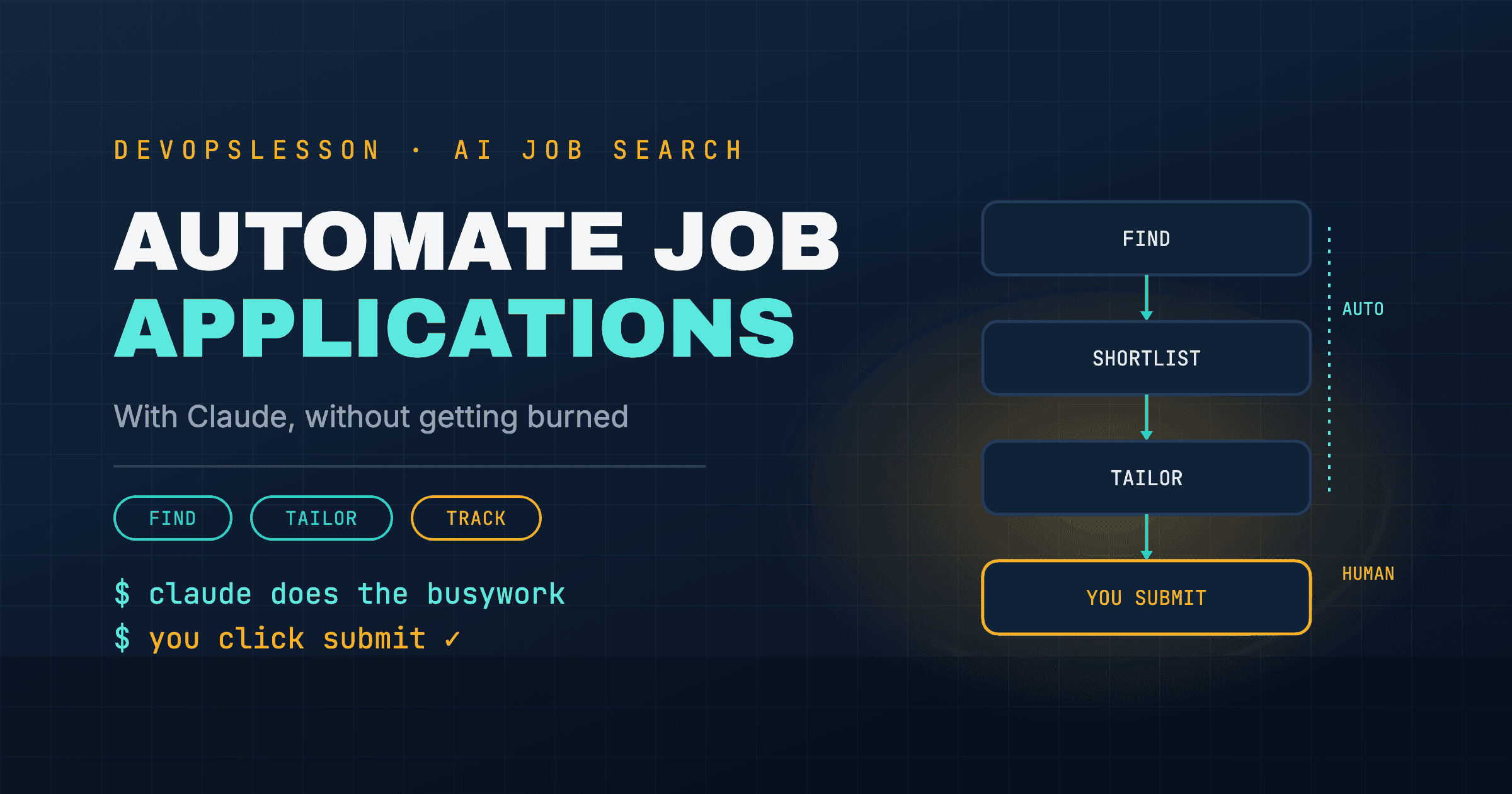
The pattern: Claude does the reading, matching and typing. You make the decisions and press the buttons that put your name on something.
Step 1: Automate finding postings
Speed matters more than volume. A posting from this morning has a fraction of the applicants it will have by Friday. With the Apify connector on, one prompt a day keeps you on fresh postings:
"Use Apify to find up to 30 [Role] jobs in [Location] posted on LinkedIn in the last 24 hours. Return an Excel sheet with title, company, location, posted date and job URL, and tell me how many results the Actor returned."
More variations, including several titles at once and remote-only, are in the Claude job-search prompts.
Step 2: Automate the shortlist
Attach your resume and let Claude do the first read:
"Score each job in this sheet from 1 to 5 for fit with my resume, based on the required skills. Add a one-line reason and a 'blocker' column for anything like clearance, required degree or years of experience I don't meet. Sort by score."
You now read five postings carefully instead of skimming thirty.
Step 3: Draft the tailoring, then edit it
For each job you are applying to:
"Using only experience already on my resume, reorder and reword my top five bullets for this posting. Use its terminology where it is accurate. Do not add anything I have not done."
Then edit it yourself. Claude's draft gets you 80% of the way in a minute, and your edit catches the places where it stretched a claim or picked the wrong project. If the honest match is thin, that is a signal to build proof, for example one of the DevOps projects for your resume.
Step 4: Let Claude fill the form, then you submit
Company career sites often make you retype your whole resume into a form. Claude in Chrome, Anthropic's browser extension on paid plans, can read the page you have open and fill those fields for you.
How to use it without regret:
- Open the application yourself, on the company's own site.
- Ask Claude to fill the form from your resume and the tailored bullets.
- Read every field. Check dates, salary expectations, work authorisation and anything legally binding, such as relocation or background-check consent.
- Click submit yourself.
Two cautions. A browser agent acts with your logins, so only use it on sites you trust, and keep it away from banking or email tabs while it works. And web pages can contain hidden instructions aimed at AI agents. Reviewing before you submit is your protection against both.
Step 5: Automate the tracker and follow-ups
"Add today's applications to my tracker with status 'Applied': [list]. Then tell me which applications have had no reply for more than 14 days and draft a two-sentence follow-up for each."
Send the follow-ups yourself, from your own email.
Why not auto-apply on LinkedIn?
Because the trade is bad on every side:
- It breaks LinkedIn's rules. The User Agreement prohibits bots and automated activity on the site. Mass-applying from your logged-in account is exactly what gets accounts restricted, and your LinkedIn profile is worth more than any single application.
- It does not work well. Recruiters screen for fit. A generic application to a role you match at 40% is quickly rejected, and a flood of them teaches you nothing about what works.
- You lose control of what is sent in your name. An unattended agent can pick the wrong resume, answer a screening question wrongly, or apply to a company you would never work for.
- It turns Easy Apply into a lottery. Easy Apply roles already draw huge applicant counts. Adding more untailored applications to the pile is the opposite of what moves you to the top.
The approach above gets you most of the time savings of a bot, and every application that goes out is one you would stand behind.
A realistic daily routine
- 5 minutes: run the daily search prompt, read the shortlist.
- 30 to 45 minutes: tailor and send 3 to 5 strong applications, with Claude drafting and filling, and you reviewing and submitting.
- 5 minutes: update the tracker, send any follow-ups Claude drafted.
That is under an hour for applications that are fresh, tailored and tracked.
Where to go next
- How to Use Claude to Find Jobs: the full setup, including mock interviews.
- Can Claude Scrape LinkedIn?: what LinkedIn's terms allow and the safer way to fetch postings.
- Top 10 DevOps Interview Questions: preparation for when the applications start working.
Frequently asked questions
Can Claude apply for jobs on LinkedIn for me?
Technically, a browser agent such as Claude in Chrome can fill in forms on pages you open, but you should not let it submit LinkedIn applications on its own. LinkedIn's User Agreement prohibits bots and automated activity, accounts that mass-apply can be restricted, and untailored applications rarely get replies. Let Claude prepare everything and click submit yourself.
What parts of a job search can Claude automate?
Finding fresh postings through a connector like Apify, scoring them against your resume, drafting tailored bullets and cover notes, filling in long application forms for you to review, keeping an application tracker, and drafting follow-up emails. Those steps are most of the time spent on a job search.
Is auto-applying to hundreds of jobs worth it?
Usually not. Recruiters screen for fit, so generic applications sent in bulk get few interviews, and on LinkedIn they risk your account. Ten well-matched applications sent within a day of posting tend to do better than a hundred sent blind.
Do I need a paid Claude plan for this?
The prompts for tailoring, tracking and follow-ups work on any plan. The Free plan also allows one custom connector, which is enough for Apify. Claude in Chrome, the browser extension that can fill in forms, needs a paid plan.
Vishvesh Patel is a DevOps engineer who writes hands-on guides on Docker, Kubernetes, Terraform, CI/CD, AWS, and Linux. He builds the tutorials, roadmaps, and browser playgrounds at DevOpsLesson to help engineers go from beginner to job-ready.